
General contractors
Win tenders with priced, checked estimates and run the job from the same numbers
DeltaERP connects BIM and CAD takeoff, cost estimating, scheduling, procurement, site and quality in a single platform that runs on your own server. AI-driven cost saving and sustainability, built for construction teams.
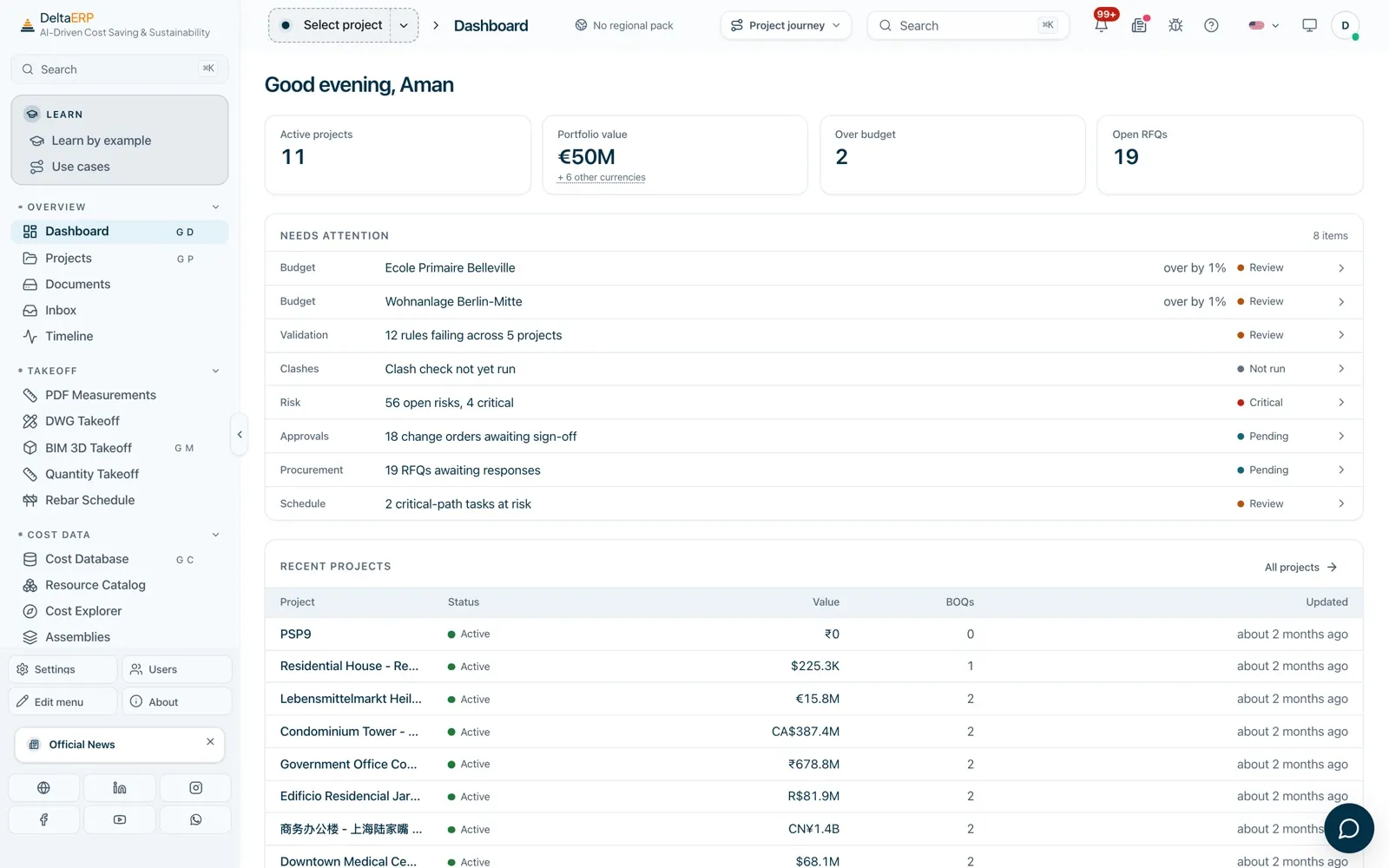
DeltaERP is a construction ERP built around the building model. Quantities come straight from your BIM and CAD files, flow into a bill of quantities priced from your own cost data, and carry on into the schedule, procurement, site records, quality and handover, without re-keying numbers between tools.
It replaces the spreadsheet, the separate takeoff tool, the scheduling package and the folder of PDFs with one connected workspace, so the estimate, the programme and the site all work from the same figures. It runs on your own infrastructure, works in 44 interface languages and handles projects in any currency.
Win tenders with priced, checked estimates and run the job from the same numbers
Take off from models and drawings, price from your rates, and prove every figure
Turn coordinated models into quantities, costs and clash-free handovers
See budget, risk and progress across your whole portfolio in one place
Price packages fast and keep variations, claims and payments under control
Schedule, track earned value and report to clients from live data
Everything a construction business needs, grouped the way your teams work. Switch on only what you use. The 161 features in the product menu are delivered by 193 server modules.
Measure, price and check estimates from your own cost data
Openings are deducted from gross, and the deduction stays visible in the line. Every position carries a digital thread back to the element it was measured from.
Coordinate models, detect clashes and work in 3D
Room scans from DeltaRoomCraft import at true scale.
Schedule, track progress and control cost and risk
Tender, contract, buy and manage change
Run the site day, crews, plant and stock
Site dimensions captured with DeltaTapeless feed the same model.
Inspect, fix, hand over safely and measure carbon
Keep every record, RFI and approval in one place
Projects, finance, reporting and development
AI agents, assistants and automated pipelines
AI proposes. Geometry calculates. Recognition may be AI-assisted. The quantity is calculated from inspectable geometry.
Takeoff: PDF Measurements · DWG Takeoff · BIM 3D Takeoff · Quantity Takeoff · Rebar Schedule
Cost Data: Cost Database · Resource Catalog · Cost Explorer · Assemblies · Cost Match · Currencies · Cost Benchmarks
Estimating: Bill of Quantities · BOQ Templates · Import / Export · CAD-BIM Match → Cost · Estimation Dashboard · Conceptual Estimate · Methodologies
Estimate Detail: Basis of Estimate · Preliminaries · Allowances & Contingency · Design Options · Formwork
Rate Build-up: Production Norms · Labour Rates · Waste Factors · Price Index · Resource Summary
AI Estimating: Quick Estimate (AI) · Estimate Builder (AI) · Estimate Copilot
Drawings & Files: Drawing Sheets · Plan Room · Markups
Reality Capture & 3D: Geo Hub · Point Cloud · CAD-BIM BI Explorer
Model Coordination: Coordination Hub · Model Review · BIM Federations · Clash Detection · Model Issues · BIM Rules · EIR Matrix (ISO 19650)
Scheduling: 4D Schedule · Advanced Schedule · Portfolio · Takt Planning · Tasks
Cost Control & Risk: 5D Cost Model · Progress · Earned Value · Capacity Planning · Resource Leveling · Risk Register · Cost-Value Reconciliation · Post-calculation
Controls & BI: Project Controls · BI Dashboards · Model Snapshots · Architecture Map
Commercial: CRM · Contracts · Payment Clock · Withholding Tax · Tax Rates · E-invoice Clearance · Subcontractor Directory
Procurement: Procurement · Bid Management · RFQ Bidding · Tendering · Supplier Catalogues
Change: Variations · Management of Change · Change Orders · Change Intelligence · Claims Evidence · Value Realized
Field Operations: Daily Diary · Field Reports · Field Time
On Site: Site Mobilisation · Service & Maintenance · Site Logistics · Site Inventory · Site Supervision · Client & Partner Portal
Resources & Assets: Equipment & Fleet · Resources & Crew · Credentials · Payroll · Certified Payroll · Building Assets (FM) · Off-site / Prefab
Quality: Issues · Validation · Compliance Rule Builder · Inspections · Construction Control · NCRs · Punch List · Deadlines · Review Authority · Governance
Handover & Commissioning: Commissioning · Handover & Closeout · Warranties & Defects Liability · Forms & Checklists
Safety & ESG: Safety · HSE Management · Temporary Works · Quality Management
ESG & Carbon: Carbon & ESG · Sustainability · ESG Site Performance
Records & Capture: Phone Log · Document Connectors · Event Reconciliation · Inbound Capture · Email Delay Scan · Find Records · Saved Views · Route Classifier · Approval Workflows
Communication: Contacts · Teams & Visibility · Meetings · RFIs · Interface Register · Correspondence · Authority Submissions · Collaboration
Documents: Submittals · Transmittals · Common Data Environment · Source Data · E-Signatures · Project Photos
Overview: Dashboard · Projects · Documents · Inbox · Timeline
Real Estate: Property Development · Accommodation · Developer Dashboards · House Types · Document Templates
Finance: Finance · Public Funding · Analytics · Reports · Reporting Dashboards
AI Agents · AI Cost Advisor · AI Chat · Pipeline Builder · Module Builder · Background Jobs
Also included: Learn by Example playbooks, Settings, Users & roles, Modules.
Sample projects that ship with the product. Select any screen to see it full size.
Quantities, costs, schedule and site records live in one place. Change the model and the numbers that depend on it follow. No re-keying, no version drift.
Measure from BIM and CAD files (IFC, DWG, DGN) instead of by hand, price from your own rates and assemblies, and let 367 built-in checks catch missing quantities, zero prices and classification errors before the estimate goes out.
Budget, earned value, change orders and risk exposure update as the job moves, so overruns show up while you can still act on them.
Track embodied carbon and ESG performance on the same model and quantities you price, instead of in a separate spreadsheet.
AI assistants draft estimates, answer questions about your data and suggest matches, and every suggestion is shown for a person to accept. Use the AI provider you choose, including models that run entirely on your own server.
DeltaERP runs on your own server or private cloud. Project data stays in your own database; nothing is sent to us.
44 interface languages (38 base languages plus regional variants), any currency, regional classification standards (MasterFormat, DIN 276, NRM and more), and only the modules you switch on.
Replace separate takeoff, estimating, scheduling, document and site tools with one platform and one login.
Self-hosted means data residency is yours by default, not a setting you have to find.
Tenant separation, role-based access, and encryption in transit and at rest.
Your data stays on your server. AI is optional and uses the provider you choose, including local models.
You do. DeltaERP runs on your own server or private cloud, and project data stays in your own database. Nothing is sent to us.
Yes. DeltaERP is self-hosted on your own server or private cloud. AI is optional and uses the provider you choose, including models that run entirely on your own server.
Yes. IFC, DWG/DXF and DGN files import today, along with PDFs and spreadsheets. Mesh formats such as glTF, OBJ and STL open for viewing.
From the geometry of the model or drawing. Recognition may be AI-assisted, but the quantity itself is calculated from inspectable geometry, and every position carries a digital thread back to the element it was measured from.
Each project is priced in its own currency, and DeltaERP handles projects in any currency. Currencies are managed alongside your cost data, and the portfolio shows every project, in every currency, on one map.
Upload IFC, DWG or DGN files, or PDFs and spreadsheets.
Extract quantities, link them to your cost database and build the bill of quantities.
Validate the estimate automatically, then generate the schedule from it.
Run procurement, site, quality and change from the same numbers, with live dashboards. Checked against the as-built condition captured on site by DeltaARBIM.
DeltaERP is the construction ERP of Shivlam ConTech, Shivlam's construction-technology company. It is developed by the team behind DeltaARBIM / A1 Delta Solution, BIM specialists who built DeltaERP around the problems they meet on real projects every day: quantities that don't match the model, estimates that can't be traced, and site data that never reaches the cost report.
Book a 30-minute walkthrough with our team. We'll load one of your own drawings or models and show the takeoff, estimate and schedule live.
